
MSP SEO is the work that puts your managed services business in front of local companies searching Google for IT support. For a small MSP, it's six jobs: a Business Profile with real reviews, a few service pages, a few useful articles, sound technical basics, local links, and counted leads.
Launch takes about 20 hours spread over 90 days. After that, about 4.5 hours a month on average keeps it running. Below, the six jobs come as seven steps, with a 90-day plan, a checklist, and agency vetting. It comes from the team behind SherpaDesk, a helpdesk and PSA (professional services automation) a small IT team can run alone. Two founders who ran their own MSP have built it since 2001.
What Is MSP SEO?
Search engine optimization for an MSP means making your Google Business Profile and website the obvious match when a business near you looks for IT help. Google wants content "created primarily for people, and not to manipulate search engine rankings."
This guide is for MSPs that serve businesses within driving distance. Below is our pull of Google Ads data via DataForSEO for US searches. It shows the 12-month average from October 2025 to September 2026, pulled on November 10, 2026, and the range advertisers bid for the top of the page.
| Search | Monthly searches (12-month average) | Top-of-page bid, low–high |
|---|---|---|
| managed it services | 22,200 | $20.00–$60.00 |
| it support near me | 9,900 | $9.56–$80.00 |
| managed it services near me | 9,900 | $20.00–$74.88 |
| it services near me | 8,100 | $7.15–$53.54 |
| it support for small business | 4,400 | $17.39–$75.00 |
| outsourced it support | 2,400 | $20.70–$72.44 |
| managed service provider near me | 1,900 | $14.38–$62.00 |
| managed it services dallas | 1,600 | $12.00–$55.00 |
| it support for law firms | 390 | $35.02–$149.50 |
| managed it services for healthcare | 320 | $14.37–$56.93 |
| it support chicago | 260 | $12.84–$60.26 |
| it support for dental offices | 90 | $26.21–$108.30 |
Google Ads data, US, 12-month average, Sep 2026.
"Near me" searches are among the largest. City searches range from 260 a month ("it support chicago") to 1,600 ("managed it services dallas"). Industry searches are small, 90 to 390 a month here.
The bid columns are estimates, not prices. For "it support for law firms", $149.50 is the high end of the top-of-page bid range: roughly the 80th percentile of what advertisers have historically paid. An advertiser pays for actual clicks, and Google adjusts the final amount automatically. Organic clicks carry no charge; your cost is time.
Search reaches people who are already looking. Businesses that aren't looking yet come through referrals and outreach, which belong in your wider marketing plan. Get the site ready for prospects who check you out before calling. As one r/msp member put it, "when we are bidding a new prospect you know they're gonna look at the website."
What You Need Before You Start
Six things make the steps below go fast:
- A domain and a website you control. Admin access to the site, registrar, and DNS, in your company's name.
- One Google account owned by the business. You'll use it for your Business Profile, Search Console, and Google Analytics. Agencies and freelancers get added as users, never as owners.
- Your service list. The services you sell, in a client's words: "Microsoft 365 support", not "technology enablement".
- The towns you serve. Only those you'd drive to for an on-site visit.
- A lead log. A spreadsheet with date, name, source, fit, and outcome. Start it in week one; step 7 sets the source rule.
- Time on the calendar. About 20 hours across the first 90 days, then about 4.5 hours a month on average.
If you haven't set up the business yet, our guide on how to start an MSP covers the steps before this one.
How To Get Your MSP Found, Step By Step
Seven steps, in the order that pays back fastest. The examples follow one fictional shop: Ridgeline IT, four people north of Dallas, serving law firms and dental offices.
-
Claim and fill in your Google Business Profile
Claim and verify your profile. Our MSP marketing plan guide covers the basics: eligibility, your real name, and the review rules. For search, go further. Pick the fewest categories that describe your core business, and keep one profile per business. If you visit clients instead of the other way around, you're a service-area business, and Google says to hide your address. You can set up to 20 service areas, within about 2 hours of driving time from your base.
Why it matters: Google ranks local results on relevance, distance, and prominence, and "there's no way to request or pay for a better local ranking." One r/msp member says "Google My Business listings provide the initial lead generation when it comes to people searching for MSPs in our area."
Example: Ridgeline IT works from the owner's home office. The profile shows "Ridgeline IT", hides the address, and lists eight suburbs as service areas.
Common mistake: using a P.O. box or a rented mailbox as the location. Google says these aren't acceptable.
-
Ask every client for a review
Make the ask a routine, not a campaign: every client, after every project, with your Google review link or QR code. Reply to each review within the monthly hour.
Why it matters: "More reviews and positive ratings can help your business's local ranking."
Example: Ridgeline adds the review link to the email a client gets when a project closes.
Common mistake: asking only the happy clients. Google's policy bars businesses from selectively soliciting positive reviews. The FTC's review rule doesn't ban it outright, but the FTC says the practice "could violate the FTC Act."
-
Launch a few service pages, then add one a quarter
At launch, write four pages at most: your main managed IT page, your two biggest services, and one industry page. Each says what it covers, who it's for, how you price it, and how to contact you. Mention your other services on the managed IT page, then add one page a quarter. Write a city page only where you have something specific to say about that city.
Why it matters: these pages answer the searches in the table. Each needs a title that's "unique to the page, clear and concise," and a meta description that's short and unique to that page.
Example: Ridgeline launches with managed IT, Microsoft 365 support, backup and recovery, and IT support for law firms. The law firm page names the practice software it supports and how it handles client file access. The dental page comes next quarter.
Common mistake: 30 city pages with the town name swapped. Google's spam policy lists "multiple domain names or pages targeted at specific regions or cities that funnel users to one page" as doorway abuse. Generating many pages mainly to manipulate rankings is scaled content abuse.
-
Write articles that answer client questions
Look in your helpdesk for the questions clients ask before and after they sign. Publish the first article in month 3, then one a month, each answering one question from your own experience, with your name on it. Google encourages "accurate authorship information, such as bylines."
Why it matters: an article is how you show the "first-hand expertise and a depth of knowledge" Google's guidance asks about. There's no target length: asked whether Google has a preferred word count, its answer is "No, we don't."
Example: Ridgeline writes "What a law firm needs before a ransomware attack, from the restores we've run." It links to the law firm page.
Common mistake: generic posts written for traffic. One r/msp member observed, "A lot of companies put blogs for SEO, but few have anything to say." Another described content that "got tens of thousands of hits per month, not a single qualified lead."
-
Fix the technical basics
Indexing. In Search Console, run URL Inspection on the home page in week one, then on each new page the day it goes live. "URL is on Google" means the page is eligible to appear. A
site:search is a quick look, but it "doesn't necessarily return all the URLs that are indexed."Mobile. Google indexes and ranks the mobile version of your site. Open each service page on your phone: everything the desktop page says should be there too.
Speed. Run your main pages through PageSpeed Insights. If it shows field data from real Chrome users, read its Core Web Vitals assessment. Targets: Largest Contentful Paint within 2.5 seconds, Interaction to Next Paint under 200 milliseconds, Cumulative Layout Shift under 0.1. A new or small site may have too few real-user samples, and then no field data shows. Use the lab diagnostics for fixes and record "not enough data", not a pass.
A typical fix is the large image at the top of the page: compress it, size it correctly, and never lazy-load it.
Markup, if clients visit your office. LocalBusiness markup can tell Google your hours and departments, and it requires a name and the business's physical location. Don't mark up your own reviews: Google supports reviews in this markup only on sites that review other businesses. Validate it with the Rich Results Test. A home-based shop that hides its address can skip the markup.
Why it matters: a page Google can't index can't rank.
Example: Ridgeline hides its address, so it skips LocalBusiness markup. With 14 pages linked from the menu, it may not need a sitemap.
Common mistake: treating Request Indexing as a fix. A request doesn't guarantee the page gets indexed, and there's a daily limit.
-
Clean up listings and earn links from people who know you
Listings first. Search your business name and your phone number. Open the listings that come up and fix old numbers, old names, and duplicates so each matches your profile. If you work from home, leave the address off wherever the form allows. Skip bulk directory packages: Google lists "low-quality directory or bookmark site links" as link spam.
Then links. List the organizations that already know your work: vendor partner directories, the chamber of commerce, a business association, the charity whose network you look after. Add the accountant or lawyer who refers clients to you. Ask each to list or mention you with a link.
Why it matters: Google calls word of mouth "one of the most effective and lasting ways" to promote a site.
Example: Ridgeline sponsors a dental study club. The club's site lists Ridgeline with a link marked rel="sponsored". Google asks paid placements to carry that value, and it treats exchanging goods or services for links like buying them. The same goes for the charity whose network you look after for free.
Common mistake: buying link packages or swapping links with referral partners. Google's spam policy lists "buying or selling links for ranking purposes" and "excessive link exchanges." Partner pages made only to cross-link count too.
-
Count leads by source, not rankings
Give every inquiry one source in the lead log: Organic Search/Maps, Paid Search, Referral, or Unknown. The rule: ask "How did you first hear about us?" and log the first source named. A referral who later searched your name stays Referral. If they say "Google", ask whether it was an ad; if they can't say, log Unknown.
For forms, mark the event that fires on a successful contact-form submission as a key event in Google Analytics, then send one test inquiry to confirm it counts. The Traffic acquisition report groups visits by default channel and has a Key events column. In that column, choose your form event from the All events menu and read the Organic Search row: non-ad links in organic results. Other events stay diagnostics next to the lead log of unique inquiries.
Why it matters: rankings don't pay invoices. Your profile's Performance numbers mix organic results and Google Ads, so they diagnose; they don't count leads.
Example: A dental office that found Ridgeline on Google Maps is Organic Search/Maps. A lawyer whose accountant named Ridgeline, and who then googled it, is Referral.
Common mistake: reading Calls as all phone calls. The metric counts taps on the profile's call button. A number someone copies and dials isn't counted there, so ask in your log.
Does SEO Still Work With AI Overviews?
Yes, and the work is the same. Google says "there are no additional requirements to appear in AI Overviews or AI Mode, nor other special optimizations necessary."
So be wary of a separate "AI SEO" package. Meeting the requirements doesn't guarantee a page is shown, in AI features or anywhere else.
A 90-Day MSP SEO Plan
About 20 hours of launch work, then a monthly routine. The 20 hours assume a working site that needs small fixes. If it needs a rebuild or big technical work, estimate that separately and move the new pages later.
- Profile, accounts, and the lead log
Claim and verify the Business Profile, set service areas, and hide your address if clients don't visit. Add the site to Search Console and Analytics under the business's own Google account. Mark the contact form as a key event, start the lead log, and run URL Inspection on the home page.
- Reviews, listings, and the main page
Send the review link to every current client and reply to each review. Fix the listings that show up for your name and phone. Rewrite your managed IT page with a clear title, a meta description, and one contact button.
- Three more pages
Write your two biggest service pages and one industry page, and inspect each one in URL Inspection when it goes live. Anything left waits for the quarterly page slot.
- Technical re-check, the first article, three links
Re-run URL Inspection, the phone check, and PageSpeed Insights, and fix the small issues. Publish the first article. Ask three partners or local groups for a listing or mention.
- The routine
Monthly: one hour for reviews, replies, and profile updates; two hours for the month's article; thirty minutes for the lead log and the five numbers below. Quarterly: one hour for the technical checks and the checklist, and two hours for one more service or industry page.
When the calls start, our guide on how to sell managed services covers the first call to the signature.
Subscribe to the SherpaDesk Blog.
Get Tips for Running IT With a Small Team.
Loading form…
The form couldn’t load. Please try again.
Or start your free trial →SHERPADESK · FREE TRIAL
Resolve tickets.
Turn time into revenue.
Bring support tickets, billable time, and invoicing into one place. Built for small IT teams and MSPs.
- 14 days free
- No credit card required
After your trial, keep your first agent free forever.
SHERPADESK · LIVE DEMO
See tickets, time,
and billing work together.
Walk through ticketing, time tracking, and billing with a product specialist. See how SherpaDesk fits the way your team works.
- 15 minutes
- Your workflow, your questions
A live walkthrough tailored to your team.
SEO Checklist For A Small MSP
Run it at the end of the launch, then every quarter. Each item is a yes or no.
How To Measure It Worked
Check five numbers monthly. The first two are leads.
| Number | Where you find it | When to investigate |
|---|---|---|
| Qualified Organic Search/Maps leads | Lead log: source Organic Search/Maps, fits your client type | Flat for a quarter: check which pages they land on |
| Meetings booked from those leads | Lead log or calendar | Leads come in but don't book: check the reply time and the first call |
| Organic form submissions | Analytics, Traffic acquisition, Organic Search row, Key events set to the form event | Zero for a month: test the form yourself |
| Clicks by page and query | Search Console, Performance | Clicks on queries you don't serve: rewrite the page to say who it's for |
| Profile calls and website clicks | Business Profile, Performance (organic and Ads mixed) | A drop: check the profile is still verified and current |
Say your log shows six Organic Search/Maps inquiries this month, and two fit your client type. Two is your number. Give a new page a quarter before you judge it.
When An Agency Is Worth It, And How To Vet One
Hire help when the launch is done and your hours are the bottleneck. An agency still needs your client contacts, your experience, and the facts about work you've done.
Google publishes questions to ask before you hire:
- Can you show examples of previous work and share success stories?
- Do you follow Google Search Essentials?
- What results do you expect, in what timeframe, and how do you measure success?
- What's your experience in my industry, and in my city?
- Will you share every change you make to my site, with the reasoning?
Then add three rules. Put the measure in the contract: qualified Organic Search/Maps leads or booked meetings, not rankings. Keep every account in your name; Google's advice is to grant read access to Search Console at the vetting stage, not write access. And walk away from promises: "No one can guarantee a #1 ranking on Google."
Google also says to be wary of SEO firms that "email you out of the blue." The same goes for review removal offers: one r/msp member, hit by anonymous one-star reviews, found that "the flag process does nothing." The next thing to arrive was emails "offering to work with google to take down the reviews." You're responsible for what anyone you hire does on your behalf.
Run Your Helpdesk On Your Own Domain
How this works in SherpaDesk
Keep clients on your domain after they sign
You can run the SherpaDesk web app on your own address, such as support.yourdomain.com, so clients sign in there. It takes DNS A and TXT records, SherpaDesk buys and applies the SSL certificate, and users log in again after the switch. A custom domain is included in High Camp and costs $10 a month on Base Camp.
Knowledgebase articles you publish at the Public Portal level are open to anyone, with no login.
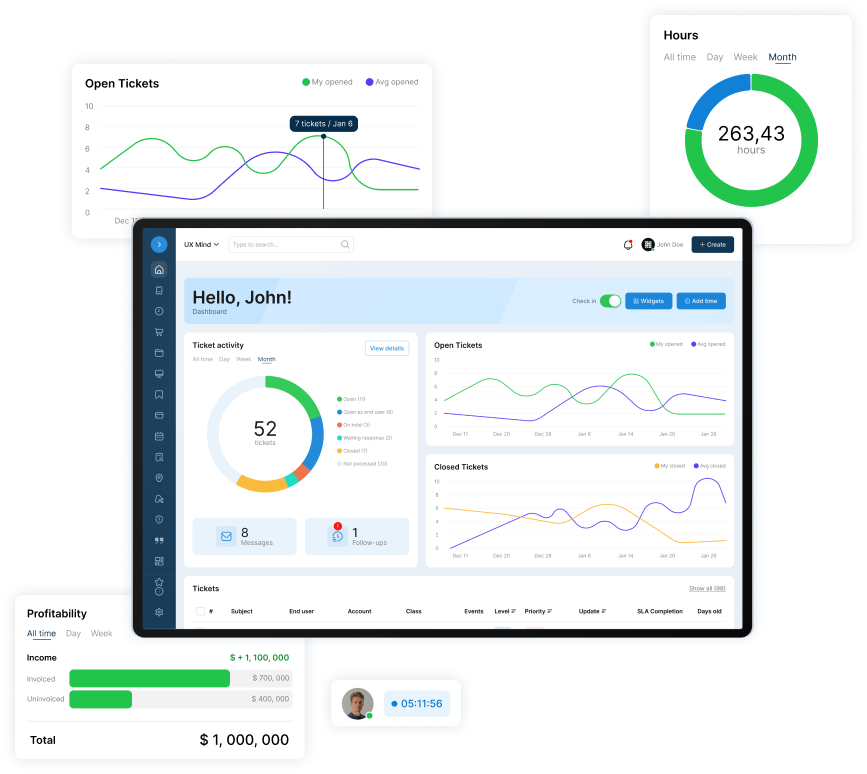
A helpdesk and PSA a small IT team can run alone. No contract. No implementation project. No dedicated admin.
You can try it 14 days free, no card.
Who this isn't for
Agencies selling SEO retainers to MSPs. MSPs selling nationally with no local service area. And any shop that needs leads this month: run referrals or ads first.
Frequently Asked Questions
Should I show my home address on my Business Profile?
Not if clients don't come to you. Google says a service-area business should hide its address, and that you should remove it if you don't serve customers there. You still set up to 20 service areas. Keep the address off directory listings where the form allows, and skip LocalBusiness markup, which requires a physical location.
Do I need a page for every city I serve?
No. Your service areas live in the Business Profile. Write a city page only when you have something true and specific to say: clients there, local rules, a site you support. Pages "targeted at specific regions or cities that funnel users to one page" are what Google calls doorway abuse.
How do I pick which searches to target?
Start with the services you sell, in a client's words, and the search table above. After launch, check the Queries tab in Search Console and the Searches metric on your profile, which shows the terms people used to find you. Target a search when it matches a service you sell and a client type you want.
How do I know a lead came from SEO?
Ask every inquiry how they first heard of you, and log one source: Organic Search/Maps, Paid Search, Referral, or Unknown. For web forms, read the Organic Search row of the Traffic acquisition report, with Key events set to your form event. Don't count profile calls as SEO leads: that data mixes organic results and Google Ads.
How long does SEO take for an MSP?
Service area edits may take up to 48 hours to show on your Business Profile. A new page can take longer. Google says some changes take effect in a few hours and others take several months. After the 90-day plan, judge each page by a quarter of leads.
Is SEO worth it for a small MSP?
In our view, the local part usually is, because a Business Profile and reviews take a few hours. Broad content for traffic often isn't: one r/msp member gets "a few leads a month from our website," another got heavy traffic and no qualified leads.

Patrick co-founded SherpaDesk and has led it as CEO since 2013. He has worked with IT service providers since 1998, first on network projects for schools and government offices, then on the helpdesk software their technicians use every day.