A CMDB (configuration management database) is a database of the things IT manages to deliver a service, called configuration items, with their attributes and the relationships between them. An asset inventory tells you what you own. A CMDB tells you what depends on what.
This guide comes from the team behind SherpaDesk, a helpdesk and professional services automation (PSA) tool a small IT team can run alone.
What Is A CMDB?
Definition
A configuration management database (CMDB) stores a record for each configuration item over its life, plus the relationships between those items.
That definition comes from ITIL 4, as Cornell University IT's glossary quotes it. ITIL defines a configuration item (CI) as "any component that needs to be managed in order to deliver an IT service". TechTarget describes a CMDB as a database with all relevant information about the hardware and software components behind an organization's IT services.
Three terms get mixed up:
- Configuration record. The details of one CI. Each record documents the lifecycle of a single CI.
- CMDB. The database that holds those records and the links between them.
- Configuration management system (CMS). The wider set of tools, data, and information that supports configuration management. A CMDB is one part of it.
You don't need to run ITIL to keep a CMDB. TechTarget notes that adopting ITIL "isn't a prerequisite for configuration management".
Configuration Items, Attributes, And Relationships
Every CMDB is built from the same three parts. The CI is the thing. Attributes describe it. Relationships connect it to other CIs.
| Part | What it holds | Example |
|---|---|---|
| CI | One managed thing, with a unique identity | FS01, the client's file server |
| Class or type | What kind of item it is, so CIs group logically | Virtual server |
| Attributes | Details such as status, description, owner, and identification code | Active · Windows Server · owner: Sam |
| Relationships | Directional links to other CIs | FS01 requires HV01, the host it runs on |
| Related service | The service the CI helps deliver | Client file access |
What counts as a CI
Almost anything you manage can be a CI. NIST's glossary says CIs can range from an entire system to a single module, a minor hardware component, or a single software package. TechTarget adds documentation and personnel to the list.
That range is the trap. A CI earns a record when a change to it could hurt a service. A server, a firewall, a line-of-business app, and the internet circuit qualify. A spare mouse doesn't.
Attributes worth keeping
The University of Florida's IT team gives every CI the same common attributes: type, status, name, description, owner team, and related services. That's a sensible floor. Add more only when someone will use the field to make a decision.
Relationships and direction
UW–Madison's IT division writes the rules down in its operational framework. A relationship is only between two CIs, and it is directional. It weights each link: "Requires" marks an absolute dependency, and "Uses" marks one that isn't absolute.
Direction is what makes the question "what breaks if this goes down?" answerable. If the tax app requires FS01, and FS01 requires HV01, a reboot of HV01 takes the tax app with it.
Why A CMDB Matters
A CMDB pays off when you're about to touch something, or something has already broken. TechTarget ties a CMDB to change management, problem management, root cause analysis, and audits. Each process asks the CMDB one question.
| Process | The question | Small-team example |
|---|---|---|
| Change | What else does this change touch? | Firmware on the firewall: which offices lose VPN? |
| Incident | Who else is affected right now? | The host is down: which servers and apps went with it? |
| Problem | What do these repeat incidents share? | Three slow-app tickets, one storage array |
| Audit | Can you show what runs where, and who owns it? | A cyber insurer asks for the server list and owners |
The change row matters most. TechTarget's example: the CMDB can show how a change to a server's configuration might affect performance, stability, and security. Without relationships, that check lives in one technician's memory. When they're on vacation, the Saturday maintenance window becomes a guess.
How A CMDB Works
Behind the screens, a CMDB runs a loop: collect data, reconcile it, relate it, update it on change, and audit it. Tools differ in how much of the loop they automate.
-
Collect CI data
Discovery tools find and profile CIs automatically. Some details, such as purchase date and price, may still need manual entry.
Example: the RMM import brings in HV01 with its serial and model; the UPS purchase date goes in by hand.
Common mistake: importing every device discovery finds, including printers and phones that support no service you track.
-
Reconcile against one source per field
UW–Madison's data dictionary names the authoritative source for every data element. When the RMM and a spreadsheet disagree on a serial number, the dictionary decides.
Example: the RMM and an old spreadsheet list different serials for HV01. The dictionary names the RMM, so its serial stays.
Common mistake: letting two tools write the same field, so each sync undoes the other.
-
Relate the CIs
Map each CI to what it requires and what it uses. Check every link discovery proposes before you trust it, and draw the missing ones by hand.
Example: the hypervisor shows that FS01 runs on HV01. The import contains no PCs-to-DC01 relationship; Sam checks the domain settings and adds it.
Common mistake: recording a link without its direction, so nobody can tell which side goes down first.
-
Update through changes, not edits
At UW–Madison, CIs are created or changed only by an automated integration, a change-managed process, or an audit. Owners can request an update outside change management only when it doesn't change dependencies.
Example: a new description for FS01 is a simple update. Moving FS01 to another host changes a dependency, so it goes through a change ticket.
Common mistake: fixing the record by hand after a change, with no change ticket to show why.
-
Audit on a schedule
UW–Madison's framework says every CI should get an annual audit, by formal or informal, manual or automated means. It adds ad-hoc audits after problems, changes, and policy updates.
Example: once a year, check all seven records against the hypervisor, the RMM, and the rack itself.
Common mistake: auditing only when an auditor asks, so the record is right one week a year.
TechTarget advises integrating the CMDB with incident, change, and service management activities, so a ticket can point at the CIs it touches. As one r/msp member put it: "A ticketing system should also tie into the CMDB so you can track issues related to certain systems."
CMDB Vs IT Asset Inventory Vs ITAM
The three overlap, and vendors blur them. TechTarget says ITAM and CMDBs are "different tools used for different purposes", and also that they "are not mutually exclusive". The clean split is the question each one answers.
| Criterion | IT asset inventory | ITAM | CMDB |
|---|---|---|---|
| Question it answers | What do we have, and where is it? | What does it cost over its life? | What depends on what? |
| Unit of record | Device, license, or account | Asset with a financial value | Configuration item, including services |
| Key fields | Tag, serial, model, user, location | Cost, warranty, depreciation, disposal | Class, status, owner, relationships |
| What it's for | Knowing what to monitor and protect | Tracking assets across the lifecycle | Impact before changes, scope during incidents |
| What goes stale first | Location and assigned user | Warranty and contract dates | Relationships after changes |
Same server, three views. TechTarget's example is an application server: ITAM tracks it as an asset that depreciates, and the CMDB tracks it as a CI. The inventory just says it exists, which rack it's in, and who's responsible.
The inventory comes first. CIS Control 1 asks you to actively manage all enterprise assets, so you know the full set that must be monitored and protected. A CMDB built on a wrong inventory maps wrong relationships. If you don't have a trusted list yet, build that first with our IT asset inventory guide. For tools that cover inventory and ITAM, see our IT asset management software comparison.
Does A Small IT Team Need A CMDB?
Not always, and the three questions below decide it. If your answers to questions 1 and 2 are both no, our recommendation is to start with the asset list. An accurate asset record linked to every ticket answers questions like which laptop this is, who has it, and what was fixed last time.
Keeping a CMDB current is the hard part, as practitioners describe it. One r/msp member called a CMDB "basically a fancy inventory system". An r/sysadmin member wrote: "I've worked at over 20 different companies, all SMB's. Not one of them had an up to date/functional CMDB."
A CMDB starts to earn its cost when relationships, not devices, cause your outages. A yes to question 1 or 2 means you need dependency mapping. Question 3 tells you whether you can keep it current.
-
Do your outages spread across systems in ways you trace from memory?
- If yes
- Shared hosts, clusters, or one firewall in front of several services: you need those relationships on record. Go to question 3.
- If no
- Most tickets are one device and one user. Go on to question 2 before you decide.
-
Does a contract, auditor, or change review ask for impact analysis?
- If yes
- You need relationships on record before each change, scoped to the services that review covers. Go to question 3.
- If no
- If question 1 was also no, stop here. An asset list linked to tickets is enough, even if someone could own a CMDB.
-
If you need one, will someone own the data every week?
- If yes
- Name them, give them an audit date, and start small. See who keeps it current.
- If no
- Don't build it yet. An unowned CMDB goes stale, and a stale one misleads. See why CMDBs fail.
MSPs have one extra reason. Each client is its own small environment, and your technicians rotate between them. A dependency map for each client's few critical services saves the new technician from rediscovering it during an outage.
How To Start A CMDB Small
A small CMDB implementation is five decisions, made in this order. Make them on paper before you pick a tool.
- Pick one service. The one that hurts most when it's down: client file access, the line-of-business app, email.
- List its CIs. Everything the service needs to run, down to the host and the power. Stop at things whose failure can't affect it.
- Draw the relationships. For each CI, what it requires and what it uses, using the Requires and Uses weights. Write every link from the CI outward.
- Name a source for each field. RMM for hardware, the hypervisor for VMs, a person for the rest. One source per field.
- Name an owner and an audit date. Every CI needs a point of contact, person or team.
Example
A three-technician MSP supports Pine Street Accounting, 25 staff, one office. The service that matters in tax season is local file access and the tax app, which runs on the office PCs with its data on FS01. E-filing sits outside this map. The starter CMDB below covers the service in seven CIs.
| CI | Class | Relationships | Main source |
|---|---|---|---|
| Tax app | Application | Requires Office PCs; requires FS01 | Vendor portal |
| Office PCs | Workstation group | Requires SW01; uses DC01 | RMM |
| FS01 | Virtual server | Requires HV01; requires DC01 | Hypervisor |
| DC01 | Virtual server | Requires HV01 | Hypervisor |
| HV01 | Physical host | Requires SW01; requires UPS01 | RMM |
| SW01 | Network switch | Requires UPS01 | Manual |
| UPS01 | Power | None | Manual |
All seven records share the same minimum data. Status: Active. Owner: Sam, the technician who leads this client. Last verified Nov 7, 2026; next check Nov 2027, or after any change. The hypervisor writes the VM fields, the RMM writes the hardware fields, and the vendor portal holds the tax app version. Sam enters the switch and UPS by hand. He verified each link himself: VM placement in the hypervisor, domain settings on FS01 and the PCs, and the host's and switch's ports and outlets.
Now the map works for you. Before Saturday's HV01 patch, the CMDB shows that FS01 and DC01 go down with it. The tax app requires FS01, so it loses access to its data and stops too. You book the window outside office hours and tell the office manager.
Every link but one is Requires. The PCs use DC01 for domain sign-in and policy updates; Sam marks that link Uses because he judged it not absolute for local work. Two things stay off this map on purpose. The backup appliance can fail without stopping local work, so it lives in the inventory. E-filing needs the firewall and the internet circuit, so it gets its own map later.
Keep the record per client, with the same classes and relationship names everywhere. Then repeat for the next service. Retirements belong in the record too: when HV01 is replaced, the old host leaves the map, as our IT asset lifecycle guide describes.
Who Keeps The CMDB Current
Someone has to own the process, and someone has to own each CI. UW–Madison defines them as separate roles. On a small team, one person may hold both.
The configuration manager owns the process. UW–Madison's list of duties includes owning all changes, additions, and deletions to the CMDB. The role also enforces the standards, checks whether the process works, and coordinates periodic CI data audits.
CI owners own the data. At the University of Florida, every CI has a designated owner team accountable for its accuracy. One r/sysadmin member made the same point: "You can manage the structure, but teams need to own their data."
Changes keep it current. UW–Madison asks technicians to make sure the CMDB is updated as part of each change record. That's the habit that matters most. A CMDB that's only updated during audits is wrong between them.
For an MSP of three, a workable split looks like this. The owner or lead technician is the configuration manager. Each technician owns the CIs of the clients they lead. The change ticket isn't closed until the record matches. Once a year, walk each client site against the record; our IT asset audit checklist covers the physical side.
As one r/sysadmin member put it: "A CMDB is only as good as the team that feeds and waters it."
Why CMDBs Fail: Stale Data And Other Traps
TechTarget is blunt: a CMDB can fail if admins don't update the data, and then it "becomes stale and unusable". Stale CMDB data is worse than none, because people act on it. The other traps all lead there.
- Scope the CMDB to the services you'll change this year
- Name one owner per CI and one authoritative source per field
- Update the record inside the change ticket
- Stop editing migrated records in the old spreadsheet; keep the rest of the inventory
- Import everything discovery finds on day one
- Leave relationships for "phase two"
- Accept records with empty required fields
- Build it only to pass an audit
Several sources of truth. One r/sysadmin member described the usual result: "Its the 'single source of truth' unless you have multiple of them and none of them are complete or updated as things get removed." TechTarget names the cause: data sits in sources that aren't well integrated.
Manual entry with optional fields. Another r/sysadmin member described a migration that carried every error forward. Their old CMDB was a spreadsheet job: "Everything was entered manually with a spreadsheet we had to fill out, and missing fields were usually just ignored". UW–Madison refuses a CI that can't be uniquely identified or has no point of contact.
No one responsible. Without a named owner, nobody keeps the records current. Assign each CI an owner team before you load it.
No buy-in. TechTarget calls the organizational issue "particularly difficult": convincing the business the CMDB is worth it. Without it, the CMDB serves the audit, not the team. One r/sysadmin member said theirs is hard to search but "great for telling auditors 'yes all my stuff is in a CMDB'".
Subscribe to the SherpaDesk Blog.
Get Tips for Running IT With a Small Team.
Loading form…
The form couldn’t load. Please try again.
Or start your free trial →SHERPADESK · FREE TRIAL
Resolve tickets.
Turn time into revenue.
Bring support tickets, billable time, and invoicing into one place. Built for small IT teams and MSPs.
- 14 days free
- No credit card required
After your trial, keep your first agent free forever.
SHERPADESK · LIVE DEMO
See tickets, time,
and billing work together.
Walk through ticketing, time tracking, and billing with a product specialist. See how SherpaDesk fits the way your team works.
- 15 minutes
- Your workflow, your questions
A live walkthrough tailored to your team.
What To Look For In CMDB Tools
TechTarget lists 20 configuration management database and related tools, for "enterprises of various sizes and needs". They include CMDBs inside ITSM suites and standalone discovery and CMDB tools. Whatever the group, check these:
- Directional relationship types
- Discovery or RMM import
- Reconciliation of duplicates
- One source per field
- Required fields enforced
- CIs linked to tickets
- Change records update CIs
- Owner on every CI
- Stale-record report
- Export to CSV
Two checks matter most for a small team. First, can a technician see a CI's relationships from the ticket they're working, without opening a second tool? Second, can the tool flag records nobody has touched in a year? TechTarget's practices point the same way: use automation where you can.
If the decision path sent you to "asset list first", look for the inventory version of the same checks: device sync, ticket links, owner, and audit. That's a helpdesk with asset management, not a CMDB.
Track Assets In SherpaDesk
How this works in SherpaDesk
An asset record on every ticket
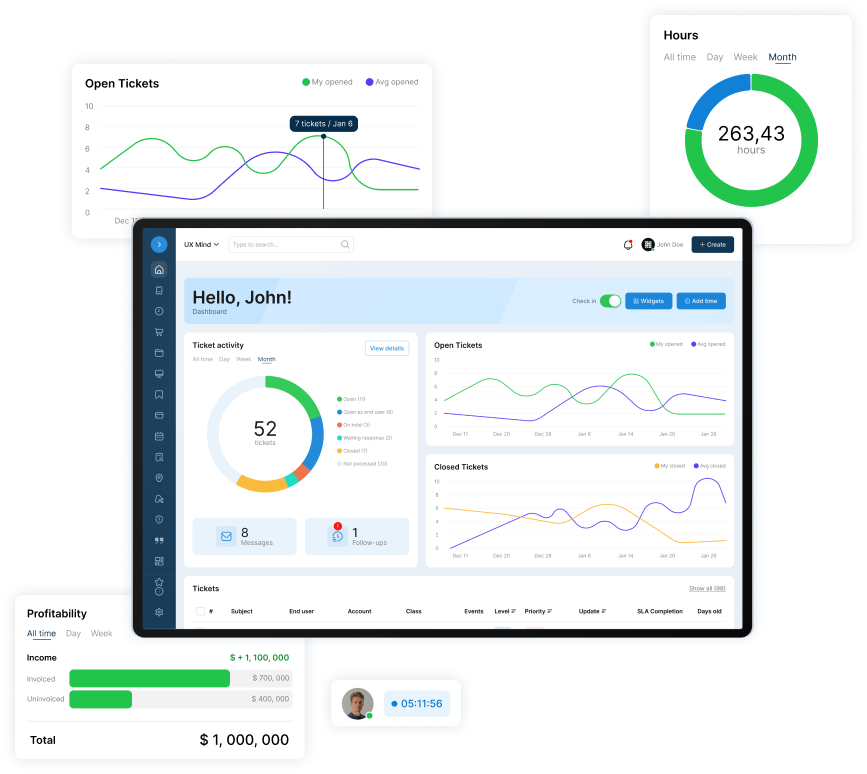
You classify each asset by Category, Type, Make, and Model, add your own fields, and every asset gets a unique ID. Assign it to an account, a location, and a user; the record keeps work history, log history, service costs, and total cost of ownership. Link assets to tickets and log time against them.
Devices sync in from NinjaOne or Google Device Manager, or arrive from an XLSX template. An Asset Auditor assigned to a location verifies assets or marks them missing.
A helpdesk and PSA a small IT team can run alone. No contract. No implementation project. No dedicated admin. 14 days free, no card. Base Camp is $45 per agent per month ($40 billed annually). Asset Manager is on High Camp: $55 per agent per month ($50 billed annually).
Who this isn't for
If you need a dependency map of every service before each change, across many CIs, you need a CMDB tool. SherpaDesk's Asset Manager is built for the asset record your tickets point to: who has the device, where it is, what it has cost, and what was done to it.
Frequently Asked Questions
What is CMDB in ServiceNow?
ServiceNow CMDB is one of the 20 tools TechTarget lists. The idea is the same as in any CMDB: a record for each configuration item, its attributes, and its relationships to other CIs. The same rules apply too: owners, one source per field, and audits. See CIs and relationships.
What is the role of a configuration manager?
The configuration manager owns the CMDB process, not every record. In UW–Madison's framework, that means owning all changes, additions, and deletions, enforcing the standards, checking the process works, and coordinating CI data audits. CI owners keep their own records accurate. On a small team, give the role to the lead technician. See who keeps it current.
What are the best CMDB platforms?
TechTarget lists 20 tools, including ServiceNow CMDB, BMC Helix CMDB, Device42, Freshservice, and GLPI. Before you compare them, ask whether your team needs dependency mapping; the decision path helps. Then check tools against the criteria list. Test relationship views from a ticket before choosing.
Is a CMDB the same as an asset inventory?
No. Their records do different jobs. An inventory record says what a device is, where it is, and who has it. A configuration management database also records relationships between configuration items, so it can show what a change or outage affects. In ITIL's terms, assets are one type of CI, and the CMDB should be able to reference the asset inventory for dependency mapping. So the inventory has to be right first. See the comparison table.
Can a spreadsheet be a CMDB?
For one small service, yes: a sheet with CI, class, owner, source, and a "requires" column works. It breaks when several people edit it, when nothing forces updates on change, and when you need to follow links two or three steps deep. Practitioners who inherited spreadsheet-fed CMDBs describe ignored fields and carried-over errors. See the starter example.

Patrick co-founded SherpaDesk and has led it as CEO since 2013. He has worked with IT service providers since 1998, first on network projects for schools and government offices, then on the helpdesk software their technicians use every day.