IT change management is how you request, review, schedule, implement, verify, and close every change to a system people depend on. On a small team, that means one change ticket, a second pair of eyes, a shared calendar, and a rollback plan written before you start.
This guide comes from the team behind SherpaDesk, a helpdesk and PSA (professional services automation) tool a small IT team can run alone.
What Is IT Change Management?
IT change management is the practice of controlling changes to IT systems, so each one is planned, checked, and recorded before and after it happens. NIST describes configuration change control as "the systematic proposal, justification, implementation, testing, review, and disposition of system changes".
The University of North Dakota (UND) quotes ITIL's definition of a change. "The addition, modification, or removal of any authorized, planned, or supported service or service component that could affect IT services." ITIL 4 lists the practice as "change enablement," so you'll see both names.
Don't confuse it with organizational change management, which helps people adopt new roles and ways of working. IT change management is about systems: what you touch, when, and how you undo it.
In your helpdesk, a change is its own ticket type, next to incidents, requests, and problems. Our guide to what an IT ticket is covers the four types; this article covers what happens inside a change ticket.
Why IT Change Management Matters On A Small Team
Changes break things, and a small team has nobody spare to catch it. Uptime Institute's 2025 outage analysis found that IT and networking issues made up 23% of impactful outages in 2024. It called the rise "likely caused by increased IT and network complexity, leading to issues with change management and misconfigurations." Of the major outages caused by human error, 85% came from staff not following procedures or from flawed procedures.
The usual objection is overhead. One r/sysadmin member starting a process found the team stuck on "well do i need to submit a change request to reboot a server?" The change management IT teams actually follow is short: three types and a five-minute ticket, not a policy binder.
Standard, Normal, And Emergency Changes
ITIL change management sorts changes into three types, and the type decides how much review a change gets. The table pulls definitions from UND, Washington University in St. Louis (WashU), and UNC Chapel Hill, then scales them down for a one- to five-person team.
| Type | What it is | Who signs off on a small team | Earliest start at UND | Example |
|---|---|---|---|---|
| Standard | Pre-authorized, low risk, follows a documented, repeatable procedure | Nobody per change; the procedure was approved once | Same day, inside the maintenance window | Antivirus signature updates, deploying new computers |
| Normal | Neither pre-approved nor urgent; assessed and approved before it is scheduled | A second technician, plus the client or owner if users lose service | 48 hours after approval, if outside the window | Core switch firmware, a new firewall rule set |
| Emergency | Needed to restore service or prevent an imminent disruption | One person by text or phone, recorded after | Immediately after approval | Patching a firewall under active attack |
A change earns standard status by working first. At UND, a change must go through as a normal change to gain standard status. Once a change is standard, write it down as a procedure, the way our guide to helpdesk SOPs describes.
Emergency changes usually start inside an incident. Run the outage by your incident management process, and log the emergency change ticket as soon as service is back.
Where's the line between a change and daily work? As one r/sysadmin member put it: "Our rule of thumb is if what you're doing changes or modifies some service or application, you need a change request." UNC calls that daily work "operational changes": "day-to-day changes performed with no adverse customer or service impact, and no required outage." A reboot that takes a service down for users fails that test and needs a change ticket.
So classify each change by its impact, its urgency, and whether a pre-approved procedure exists for it. Low risk alone doesn't make a change standard; the written, approved procedure does.
Before You Start
The first item of NIST's CM-3 control is to "determine and document the types of changes to the system that are configuration-controlled". For IT change management on a small team, that's one page. Set up five things first:
- A scope list. Systems where any change needs a ticket: firewalls, switches, servers, identity, backups.
- A standard change list. Changes you've done often enough to pre-approve, each with its written procedure.
- A maintenance window per site or client, such as Saturday 7:00 to 9:00 a.m.
- A named reviewer and a backup. For the solo technician, the reviewer is the client contact or the owner.
- A link to your priority levels. Emergency changes follow your ticket priority levels, so a P1 outage can justify one.
The IT Change Management Process, Step By Step
This change management process has six steps, the main route for normal IT changes. Standard changes run on their pre-approval. Emergency changes get a fast approval and a short record if time allows, then full documentation and a review. Each step happens on the same change ticket, so the record builds as you work.
-
Request the change on a ticket
Log what changes, where, why, and who's affected. UND requires every change to link to the incident, request, or operational ticket that caused it. Write the steps so another technician could follow them without calling you.
Example: "Update core switch firmware at the architecture firm. Linked to ticket 4412, opened for the vendor's security advisory."
Common mistake: a one-line ticket saying "switch update Saturday."
-
Review the plan, the risk, and the rollback
A second person reads the steps, the test plan, and the backout plan before anything is approved. NIST asks you to review proposed changes and "approve or disapprove such changes," then document the decision. Rate the risk low, medium, or high, with a reason.
Example: the reviewer asks for a saved copy of the running config before the upgrade.
Common mistake: approving in a hallway with nothing written on the ticket.
-
Schedule it and tell people
Book the change on the calendar inside a maintenance window, and check other changes that week. At UND, the CAB "may alter the requested implementation time to avoid conflict with other changes." WashU gives customers at least a week's notice. Agree a notice rule with each client and keep to it.
Example: Saturday 7:00 to 9:00 a.m.; the client's rule is three days' notice, so staff get it on Tuesday.
Common mistake: two technicians booking the same Saturday for changes on the same network.
-
Implement exactly what was approved
UND's rule is to implement the change "as planned (no more, no less)". Log the actual start time and every step that surprised you on the ticket. A second fix gets its own change ticket.
Example: 7:04, config saved. 7:10, firmware upload started.
Common mistake: "while I was in there, I also updated the access points."
-
Verify against the test plan
Run the checks you wrote in step 1, each with its expected result. NIST's enhancement CM-3(2) asks you to "test, validate, and document changes to the system before finalizing the implementation". Include a user check: someone who works on the system confirms it works.
Example: every VLAN reaches the internet, three test PCs print, and the phones register.
Common mistake: "the switch came back up" as the only test.
-
Close with a result, then review failures
Record one result: successful, completed with issues, backed out, or incomplete. At UND, any result other than successful triggers a review of the root cause. Run it with our post-incident review template.
Example: "Successful. Done 8:05. Firmware 17.9 on both switches."
Common mistake: closing a backed-out change as resolved, so it never shows up in your numbers.
Subscribe to the SherpaDesk Blog.
Get Tips for Running IT With a Small Team.
Loading form…
The form couldn’t load. Please try again.
Or start your free trial →SHERPADESK · FREE TRIAL
Resolve tickets.
Turn time into revenue.
Bring support tickets, billable time, and invoicing into one place. Built for small IT teams and MSPs.
- 14 days free
- No credit card required
After your trial, keep your first agent free forever.
SHERPADESK · LIVE DEMO
See tickets, time,
and billing work together.
Walk through ticketing, time tracking, and billing with a product specialist. See how SherpaDesk fits the way your team works.
- 15 minutes
- Your workflow, your questions
A live walkthrough tailored to your team.
How A Small Team Runs A CAB
A change advisory board (CAB) reviews proposed changes; NIST names it as one way to review and approve them. On a team of two, your CAB is the other technician. That works if they do what UND asks of its peer reviewer: check the steps, check that the backout and test plans have enough detail, and back up the implementer.
One r/sysadmin member said the presenter is "just supposed to be stating what you're doing and when - just a quick 2-3 sentence blurb."
The hard case is the solo technician. An r/msp thread noted that if the person reviewing a change also wrote it, the review is moot. One member's reply: "That would be us for the foreseeable future, honestly." UNC's CAB keeps the people who approve changes apart from those who implement them "to the extent it's necessary and possible." Alone, get as close as you can:
- Write the plan a day early and reread it cold.
- Get a sign-off from the system's owner: the client contact for an MSP, the department head for internal IT.
- Record approvals in writing. As one r/sysadmin member put it, "verbal approvals don't exist. They rely on human memory". A text counts if you paste it into the ticket.
Emergencies get the same rule, faster. At UND, an emergency change can start on a verbal, text, or email approval, followed by a formal record. Every emergency is then reviewed to ensure "the emergency process is not being misused".
Write A Rollback Plan Before You Start
A rollback plan, also called a backout plan, is the set of steps that returns a system to its state before the change. UND asks for one on every change request. On a small team, write one for every normal change, in three parts:
- The trigger. The failed check or the clock time that starts the rollback, decided before you begin.
- The steps. Restore the saved config, reinstall the old version, or swap the old device back in.
- The rollback time. How long the way back takes, which must fit inside the window.
The trigger matters most, because people under pressure keep fixing. As one r/msp member admitted, "We've all been that tech that's "10 more minutes and I'll have it fixed…" and 45 mins later we're still hyper focused on the issue." UND treats a change that isn't finished when the window closes as failed, to be backed out, unless emergency approval allows work to continue.
Size the window for the way back too. WashU's outage window includes "any time that might be required for rollback, not just the time the system is down". If the upgrade takes 40 minutes and the rollback takes 30, book at least 70 plus your test time.
Keep An IT Change Calendar
An IT change calendar is one shared view of every planned change, by date and window. UND puts all of its changes on one. It answers two questions before anyone books a Saturday: is someone else touching this network, and is the client busy that day? Put these on it:
- Every normal change, with its window, the client or site, and the change ticket number.
- Recurring standard changes, such as monthly patching, so they're visible even though nobody approves them each time.
- Freeze periods. Your freezes are the client's busy weeks, such as month-end close or exam weeks.
When two changes collide, move one. WashU's CAB approves conflicting changes only after it sets a new schedule. When a user asks whether anyone changed anything last night, the calendar answers in a minute.
IT Change Request Template And A Filled Example
Use the template as the form for change tickets. The fields follow what UND asks every change request to include: type, description, risks, implementation plan, test plan, backout plan, and dates.
IT CHANGE REQUEST
Change ticket: [number and short title]
Type: [standard / normal / emergency]
Requested by: [name]     Date: [date]
Implementer: [name]      Reviewer: [name]
Linked ticket: [the request or incident behind it]

1. WHAT AND WHY
   [What changes, on which systems, and why.]
2. IMPACT AND RISK
   Users affected: [who, how many]
   Downtime expected: [none, or h:mm]
   Risk: [low / medium / high], because [reason]
3. PLAN
   Window: [date], [start] to [end]
   Steps: [numbered, so another tech could
   follow them without calling you]
4. TEST PLAN
   [The checks that prove it worked, each with
   its expected result]
5. BACKOUT PLAN
   Trigger: [the failed check, or the clock
   time, that starts the rollback]
   Steps: [how you return to the old state]
   Rollback time: [h:mm, inside the window]
6. REVIEW
   Reviewer: [name]   Date: [date]
   Decision: [approved / sent back / rejected]
   Client or owner sign-off: [name, if needed]
7. NOTICE
   Told: [users, client, vendors]
   Sent: [date]   Calendar entry: [yes / no]
8. RESULT
   [successful / completed with issues /
   backed out / incomplete]
   Started: [time]   Finished: [time]
   Notes: [what happened, what you would change]
Review needed: [yes, if not successful]Say you run a three-technician MSP, and a 25-person architecture firm's core switches need a firmware update after a vendor security advisory. Here's the change ticket, filled in.
| Field | Filled in |
|---|---|
| Type | Normal. Users lose the network for about 15 minutes. |
| People | Requested and implemented by Maya; reviewed by Sam; sign-off from the office manager |
| Linked ticket | 4412, opened for the vendor's security advisory |
| What and why | Patched firmware on both core switches, to close the advisory's vulnerability |
| Impact and risk | All 25 users and the phones; medium risk, because both switches reboot |
| Window | Saturday, 7:00 to 9:00 a.m. |
| Steps | Follow runbook RB-12 in the client's documentation: 1. Save the running config to the backup share. 2. Load the firmware image named in RB-12. 3. Reboot switch 1, check it, then switch 2. Console laptop on site in case the network drops. |
| Test plan | Every VLAN reaches the internet; three test PCs print; desk phones register; the file server opens from two PCs |
| Backout plan | Trigger: any failed check, or both switches not passing every check by 8:15. Steps: boot the previous image kept on each switch, restore the saved config over the console. Rollback time: 30 minutes. |
| Review | Sam approved Monday after adding the config backup step; office manager's email reply pasted into the ticket |
| Notice | Email to all staff Tuesday, per the client's three-day rule; calendar entry booked |
| Result | Successful. Started 7:04; every test-plan check passed; the office manager confirmed phones and files by phone; finished 8:05. No review needed. |
How To Measure IT Change Management
Count from your change tickets once a quarter:
- Failed change rate: changes closed as backed out, completed with issues, or incomplete in the quarter, divided by all changes closed in the same quarter, × 100%. DORA's version for software teams is "the ratio of deployments that require immediate intervention following a deployment."
- Emergency share: emergency changes closed in the quarter, divided by all changes closed in the same quarter, × 100%. A rising share is a reason to check the causes: skipped review, poor planning, or real urgency. One r/sysadmin member's warning: "make sure everyone isn't taking the "emergency" path to shortcut testing".
- Changes that caused an incident: unique change tickets linked to at least one incident, counted once each.
- Changes without a ticket: found during an incident or audit. The target is zero.
Example: you closed 40 changes last quarter and 6 were emergencies. Your emergency share is 15%. Judge your IT change management by the trend, not a benchmark. DORA says its metrics "are meant to be applied at the application or service level," not compared across very different systems.
IT Change Management Best Practices
- Log every change on a ticket, standard ones included
- Write the test plan and rollback before the review
- Put every normal change on the calendar
- Review every backed-out change
- Approve changes out loud with nothing written down
- Add a second fix in the same window
- Keep fixing past the rollback trigger
- Call a change an emergency to skip review
Start small. As one r/sysadmin member advised a team facing formal audits, "going full ITIL from where you are now won't serve you well at all." A change ticket, a reviewer, and a calendar cover most IT changes a team of five makes.
Run Change Tickets In SherpaDesk
How this works in SherpaDesk
A change class with its own form and checklist
Set up Change as a ticket class and link custom fields to it, so the change form shows only on change tickets. Mark the backout fields "For Technicians Only" to hide them from end users. Statuses are fixed, so track change state and the reviewer's decision in custom fields.
Link a To Do template to the class for review, notice, test, and rollback. Monthly patching can run as a scheduled ticket with a To Do template. Add the window to the Team Calendar as an event with invites from the ticket. You can run it for your own staff or for clients.
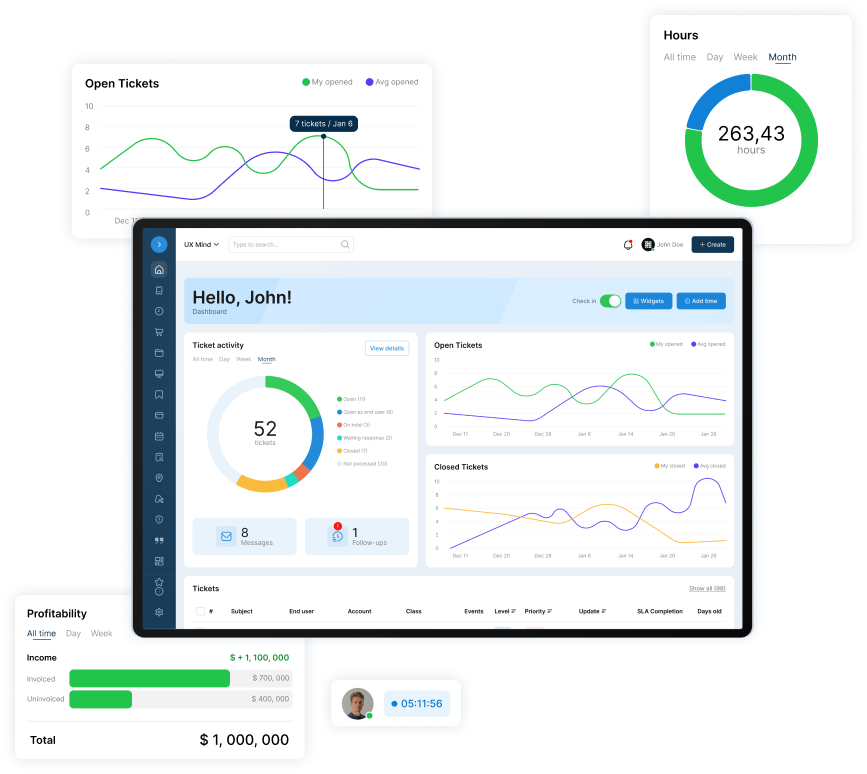
A helpdesk and PSA a small IT team can run alone. No contract. No implementation project. No dedicated admin.
Base Camp is $45 per agent per month ($40 billed annually). The first agent is free, forever, so a team of three pays $90 a month ($80 billed annually). The trial is 14 days free with no card.
Who this isn't for
Regulated enterprises needing SOX change controls in a full ITSM suite. This process is built for one to five technicians who review changes on the ticket.
Frequently Asked Questions
What does an IT change manager do?
An IT change manager runs the change process: reviewing requests, chairing the CAB, scheduling, and closing changes. At UND, the change manager sets approved changes to Scheduled and moves them to closed after review. On a team of one to five, the owner or lead technician usually covers it as the reviewer in step 2.
Is ITIL still relevant in 2026?
Yes. PeopleCert says ITIL (Version 5) "is being introduced through a gradual, phased release" and that "ITIL 4 remains available". You don't need certification to use the ideas. A small team gets most of the value from ITIL change management's three types, a review, and a record.
What are the 5 stages of ITIL?
The five stages come from ITIL v3's service lifecycle: service strategy, service design, service transition, service operation, and continual service improvement. Change management sits in service transition, together with release practices. ITIL 4 organizes the work into 34 practices and calls this one change enablement.
What are the 7 key ITIL practices?
ITIL 4 has 34 practices, not seven. TechTarget lists seven principles behind ITIL 4. They are focus on value, start where you are, progress iteratively with feedback, collaborate and promote visibility, think and work holistically, keep it simple and practical, and optimize and automate. For change on a small team, start with "keep it simple and practical."
Does a small IT team need a change advisory board?
It needs the review, not the meeting. NIST lists change advisory boards as one way to review and approve changes. For two to five technicians, a second technician reading the plan on the ticket does that job. Alone, use a written plan and the system owner's written sign-off (CAB section).

Patrick co-founded SherpaDesk and has led it as CEO since 2013. He has worked with IT service providers since 1998, first on network projects for schools and government offices, then on the helpdesk software their technicians use every day.