
A help desk manager owns the queue, not every ticket. On a small team that means four jobs: keep the queue moving, coach the techs, cover the hours, and report up. You usually do this while still taking tickets, so the job runs on a fixed rhythm.
This guide comes from the team behind SherpaDesk, a helpdesk and professional services automation (PSA) tool a small IT team can run alone.
What Does A Help Desk Manager Do?
CompTIA describes the IT support manager as the person who "leads the help desk team, which may include various tiers of help desk technicians." It lists help desk manager and IT support team lead as related titles. Some companies say service desk manager.
On a small team, you're usually the senior tech who also owns the queue. The table gives the job edges.
| Area | What you own | Cadence | Done when |
|---|---|---|---|
| The queue | Intake, priority, assignment, and the oldest tickets | Daily and weekly | Every ticket has an owner and a next step |
| The people | One-on-ones, training, and fair load | Weekly | Each tech knows what good looks like this month |
| Coverage | Hours, after-hours rule, escalation path, and vacation cover | Monthly and before holidays | Someone named answers every hour you promise |
| Reporting up | Targets, trends, and one ask | Monthly | Your boss can repeat the three numbers that matter |
For who owns what beyond the queue, see our guide to IT department structure.
What You Need Before You Start
- Your ticketing reports: volume, SLA results by priority, and load per tech.
- Written priority targets, even rough ones.
- Your people and their hours, including contractors and planned leave.
- Your boss's top three worries, in their words.
The Weekly And Monthly Rhythm
Book management time like a client visit, or it won't happen.
-
Check the queue every morning
Spend 15 minutes on new, unassigned, and breached tickets before you open your own. A ticket with no owner is the one nobody answers.
Example: a P1 from the CFO came in overnight, unassigned. You assign it first.
Common mistake: letting techs pick freely instead of assigning each ticket an owner.
-
Review the oldest tickets with the team weekly
Old tickets show stuck work that volume hides. One r/ITManagers reply: "Review the oldest 3 tickets (pick a number) with the entire team in a team meeting weekly."
Example: the oldest is a laptop waiting on a vendor part. Set a follow-up date and tell the user.
Common mistake: turning the review into blame. Ask what would unblock the ticket, not who let it age.
-
Hold a short one-on-one with each tech every week
Gallup advises "meaningful conversations with employees every week."
Example: ask what slowed them down and what they want to learn next.
Common mistake: using the time for ticket status.
-
Check SLA results and load once a month
Pull SLA results by priority and the time each tech spent on tickets. Compare with last month, by priority.
Example: P3 resolved on time fell to 81% in the month one tech covered an office move.
Common mistake: one blended number for all priorities. It hides where the misses are.
-
Send one page to your boss each month
A regular page gives leadership the trend before something breaks.
Example: the October page in Reporting To Leadership.
Common mistake: a dashboard with no sentence on what it means.
For the basics underneath it, see our helpdesk best practices.
Metrics To Watch And What To Do When They Move
Formulas for each are in our guide to helpdesk metrics.
| Metric | What it tells you | First move when it slips |
|---|---|---|
| First response by priority | Whether users hear back in time | Check who watches the queue at 8 a.m. and after lunch |
| Resolved on time, by priority | Whether you keep the completion promise you wrote | Find the priority that misses, then the hour or ticket type |
| Backlog age | Work that is stuck, not just busy | Take the oldest tickets to the weekly review |
| Reopen rate | Fixes that didn't hold | Read five reopened tickets; coach, or write the missing article |
| Load per technician | Who carries the queue | Change assignment rules before you ask anyone to work faster |
| Billable utilization (MSP) or cost per ticket (internal IT) | Whether the desk pays its way | Check that time is logged on tickets first |
When a number slips, change one thing at a time, then watch it for a month.
Coaching A Small Team
CompTIA notes that "IT support managers have usually worked their way up the tiers of the help desk." Technical experience doesn't replace management training.
| Finding | Figure |
|---|---|
| Variance in team engagement that managers account for (Gallup) | 70% |
| Managers worldwide who ever received management training (Gallup) | 44% |
| Tech professionals citing workload, the top cause of stress or burnout (ISACA, 1,000+ surveyed) | 48% |
Source: Gallup and ISACA, 2026.
Our guide to IT burnout has the research and the warning signs.
Turn what you see in the queue into one agreement per one-on-one.
| What you see | Ask in the one-on-one | Agree on | Check |
|---|---|---|---|
| Their fixes reopen more than others' | What did the last two reopened tickets have in common? | One article for the repeat fix | Reopens, next month |
| One tech carries most of the hours | Which tickets do you take because nobody else can? | Pair on one ticket type, then route it to the pool | Load per tech, in four weeks |
| Users wait for updates | What stops you replying with a next step? | A next step on every open ticket by end of day | Weekly review, in two weeks |
| They work late most days | What would you drop if you could? | One task moves or waits | Next one-on-one |
Staffing And Coverage
Set targets from the staff you have, not the staff you wish you had. One reply to a stressed manager on r/ITManagers: "Draft up a Service Desk SLA document based on the capabilities of the current staff and get Leadership buy off on it."
When users complain about those targets, "that's what opens the conversations about staffing levels and training." The misses become your evidence for a hire.
Write the after-hours rule down: which priorities get a reply outside business hours, who takes them, and how the rotation runs. US federal wage rules treat on-call waiting time this way. Someone required to stay on call at your premises is working. Someone on call at home, or free to leave word where they can be reached, usually is not. More limits on their freedom can make that time paid. Ask HR how that applies to your team.
Then write the escalation path: who gets the ticket next, and when a vendor or your boss gets a call. Our escalation matrix template covers it.
Reporting To Leadership
Your boss needs three numbers, the trend, and what you want. One r/ITManagers member advised: "Work with upper management and your Customers to define KPIs - report monthly on them."
Keep it to one page, in the same order every month.
MONTHLY HELPDESK PAGE
To: [your boss] · Month: [month]

1. VOLUME AND TREND
   Tickets in: [n] · Closed: [n]
   Last month: in [n] · closed [n]
2. PROMISE KEPT
   Resolved on time, by priority:
   This month: P1 [%] · P2 [%] · P3 [%]
   Last month: P1 [%] · P2 [%] · P3 [%]
   Targets:    P1 [%] · P2 [%] · P3 [%]
3. RISK
   Oldest open ticket: [days], waiting on [what]
4. ONE ASK
   [decision, budget line, or hire]
Number: [$ or hours] · Needed by: [date]Example
You run a four-person desk for a 200-person company. October: 412 tickets in and 398 closed, against 350 and 352 in September, after the office move. Resolved on time: P1 100%, P2 94%, P3 81% (September: 100%, 93%, 92%), against 90% each. Oldest open ticket: 19 days, waiting on a firewall renewal. The ask: approve the $2,400 renewal by November 15.
Subscribe to the SherpaDesk Blog.
Get Tips for Running IT With a Small Team.
Loading form…
The form couldn’t load. Please try again.
Or start your free trial →SHERPADESK · FREE TRIAL
Resolve tickets.
Turn time into revenue.
Bring support tickets, billable time, and invoicing into one place. Built for small IT teams and MSPs.
- 14 days free
- No credit card required
After your trial, keep your first agent free forever.
SHERPADESK · LIVE DEMO
See tickets, time,
and billing work together.
Walk through ticketing, time tracking, and billing with a product specialist. See how SherpaDesk fits the way your team works.
- 15 minutes
- Your workflow, your questions
A live walkthrough tailored to your team.
Your First 90 Days
The first month is for measuring, not fixing. A reply to a first-day service desk manager on r/ITManagers: "Don't change anything for a minimum of 30 days unless directed to do so."
- Listen and measure
Meet each tech and your boss. Pull a month of volume, SLA results by priority, and load per tech.
- Report and fix assignment
Agree targets with your boss and send the first monthly page with the baseline. Change one queue rule, assignment, and watch load per tech. Start one-on-ones.
- Add the review and write it down
Start the weekly oldest-ticket review. Publish the after-hours rule, escalation path, and backups. Send the second page.
How To Tell It's Working
Check these at the end of each quarter:
- Every one-on-one agreement is done, or dropped on purpose.
- Your last routing change was checked against load per tech a month later.
- Your boss decided on each monthly ask, yes or no.
- Your oldest ticket is younger than it was last quarter.
Run The Monthly Check In SherpaDesk
How this works in SherpaDesk
SLA results, time per tech, and scheduled reports by email
Run the monthly check from standard reports, for an internal helpdesk or client-facing ticketing. Priorities carry response and completion goals, and the SLA report shows On-Time and Goal vs. Actual for closed tickets. The Ticket Assignment and Transition Report shows time per assigned technician. Standard reports also include Ticket Count and the Executive Dashboard.
Schedule custom reports for email delivery. Routing can spread tickets across a tech pool ("Distributed" or "Least # of Tickets") or in sequential rotation. Levels & Escalations move tickets through tiers.
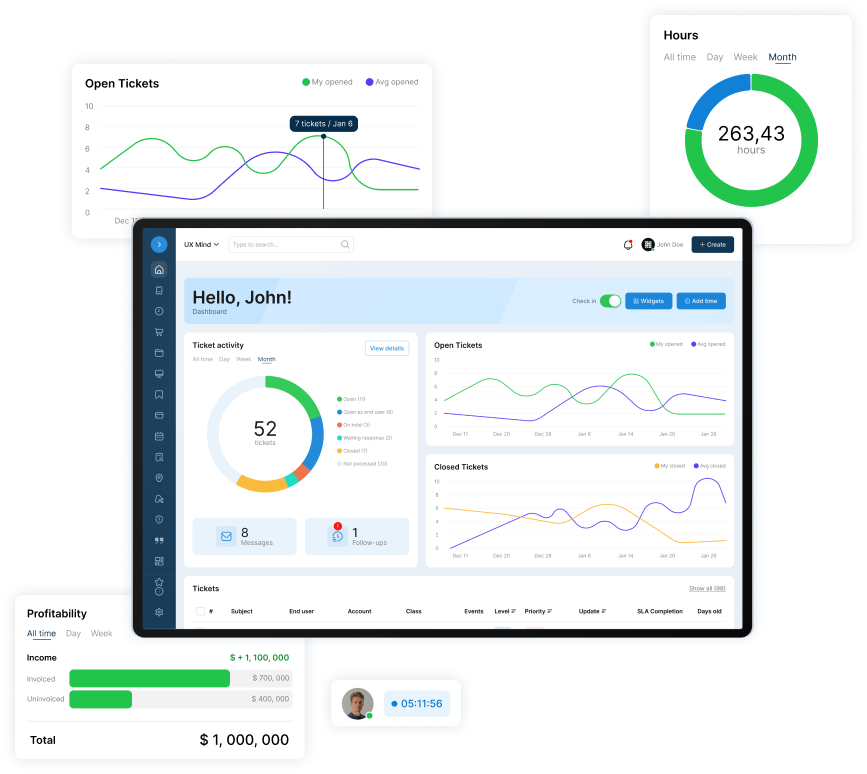
A helpdesk and PSA a small IT team can run alone. No contract. No implementation project. No dedicated admin.
Base Camp is $45 per agent per month ($40 billed annually). The first agent is free, forever, so a team of three pays $90 a month ($80 billed annually). The trial is 14 days free with no card.
Who this isn't for
Job seekers who need salary benchmarks by region or a job description template, and managers of large service desks with separate ITIL process owners.
Frequently Asked Questions
What does an IT support manager do?
CompTIA says the IT support manager "leads the help desk team," which can include several tiers of technicians. Its list of duties includes training staff and evaluating the performance of individual technicians. On a small team, the same person usually still works tickets.
Is a helpdesk a stressful job?
It can be. Start with workload: as the manager, watch load per tech each month, change assignment before asking anyone to work faster, and write down after-hours rules. For the research on stress and burnout, see Coaching A Small Team.
Does a helpdesk manager need to be technical?
Enough to judge priority and know when a ticket is stuck. One r/ITManagers member told a new manager: "You don't have to be technical to run a helpdesk." The warning: "do not pretend to be technical, they will spot it a mile away." Lean on your senior tech for depth.
How much does a helpdesk manager make?
CompTIA puts the median salary for IT support managers at $65,000, from Lightcast data. For comparison, BLS put the May 2025 median annual wage of computer support specialists at $62,890, and of computer and information systems managers at $175,140. Your number depends on location, team size, and scope.
When does a small team need a dedicated helpdesk manager?
When the management work no longer fits around tickets: the weekly review slips, one-on-ones get canceled, and nobody owns coverage. Until then, a working lead with protected hours can run this rhythm. Log your management time for a month; the hours make the case.

Patrick co-founded SherpaDesk and has led it as CEO since 2013. He has worked with IT service providers since 1998, first on network projects for schools and government offices, then on the helpdesk software their technicians use every day.