Co-managed IT services are a service model in which a client's internal IT team and an outside MSP share the IT work. Both teams agree in writing which tasks each one owns, and the MSP delivers only its agreed share.
This guide comes from the team behind SherpaDesk, a helpdesk and PSA (professional services automation) tool a small IT team can run alone. It's written for the MSP that prices, staffs, and answers for the co-managed IT contract. Run well, it's steady recurring work for a small MSP.
What Are Co-Managed IT Services?
Co-managed IT is a shared model. The client keeps an internal IT team, and an MSP covers named areas under a contract that says who does what. In the usual co-managed IT split, the client's team keeps the users and the day-to-day. You take the work that needs depth, tools, or hours they don't have.
The UK's National Cyber Security Centre (NCSC) describes the backbone in its November 2025 guide to choosing an MSP. "A matrix of responsibilities detailing what the MSP will do and what is expected from you as the customer is good practice." Agree that matrix before you sign the co-managed IT contract, not after the first outage.
For the basics, see what an MSP is. The table sets co-managed IT between the two models your clients know.
| Question | In-house only | Co-managed | Fully managed |
|---|---|---|---|
| Who answers users | Client's IT staff | Usually the client's IT staff | The MSP |
| Who owns servers, network, security | Client's IT staff | Split by the matrix | The MSP |
| Whose tools run the estate | The client's | Agreed in the contract | The MSP's |
| Where the work is logged | Client's system, if any | One shared queue or two linked ones | The MSP's PSA |
| What the MSP bills | Nothing, or projects | The areas it owns, plus escalations | The whole service |
Who Buys Co-Managed IT Services
You sell co-managed IT to organizations that already pay for IT staff and still run out of hours or depth. As one r/msp member put it: "We are running into more and more companies that do not want AYCE support and have internal IT." AYCE is all-you-can-eat support. Three kinds of clients come up again and again:
- Companies with one to three IT staff. Their team handles password resets, laptops, and line-of-business apps. Nobody is spare for patch nights, firewall changes, or a week off.
- School districts. In CoSN's 2025 survey, two-thirds of the responding districts already outsource some IT functions (table below). That's a sign of demand for outside help: the district keeps the classroom, and a co-managed IT partner can take the back end.
- Growing firms and one-person departments. A firm hires its first IT person, or its IT person is overloaded by a new office or a migration.
| Function | Districts |
|---|---|
| Any IT function | 66% |
| Cybersecurity monitoring | 44% |
| Remote network maintenance or MSP | 34% |
| Helpdesk (technical support for users) | 10% |
Source: CoSN 2025 survey of 645 districts.
How Co-Managed IT Services Work
A co-managed IT engagement runs in five steps, and the first four happen before the first escalation.
-
Map what the client's team does today
List every IT task in the client's environment and who does it now, including the jobs nobody does.
Common mistake: scoping from the client's org chart instead of from the work.
-
Agree the responsibility matrix
Turn the task list into a RACI table with one owner per row (next section). Attach it to the co-managed IT services contract as an exhibit.
Common mistake: rows marked "both" with no single Accountable.
-
Set access and tools
Create named accounts for both teams with only the rights each row needs, and decide where tickets and documentation live.
Common mistake: sharing one admin login "for now".
-
Onboard the internal team
Walk them through the matrix, the escalation path, and the ticket queue they'll use every day.
-
Run, review, and adjust
Review escalations, hours, and gray-area tickets with the client's IT lead each month, and the co-managed IT matrix each quarter.
Common mistake: letting the matrix go stale after the internal team changes people.
Who Does What: A Co-Managed IT RACI Table
A RACI table assigns four roles per task. Cornell's IT service management team defines them: Responsible is "A person or team responsible for correct execution of the task." Accountable is "A person who has ownership of quality and the end result. One per task." Consulted people give input, and Informed people "are kept up-to-date on progress".
Here's a starting co-managed IT matrix for a client with an IT lead, two technicians, and an owner who signs the budget. A is always one named person: the client's IT lead, your service lead, or the owner. R can be several doers, such as the client's two technicians or your team. Blank cells mean no role.
| Task | Client IT lead | Client technicians | MSP service lead | Client owner |
|---|---|---|---|---|
| User requests and first-line tickets | A | R | C | |
| Escalated tickets (servers, network, cloud) | C | I | A, R | |
| Patching servers and workstations | I | A, R | ||
| Backups and restore tests | I | A, R | I | |
| Security monitoring and alerts | C | A, R | I | |
| Accounts for joiners and leavers | A | R | C | |
| Business apps and SaaS admin, including their changes | A | R | C | |
| Changes to network, firewall, servers | C | I | A, R | |
| Projects (migrations, new office) | A | I | R | C |
| Shared documentation | C | R | A, R | |
| IT budget and roadmap | R | C | A |
Three rules keep it honest. First, one A per row. The University of Washington's RACI guide says "Only one resource is assigned 'A' for each deliverable (one A per row.)" Second, no row without an A: "No A's assigned. The buck has to stop somewhere". Third, give every A a name; UW says each role should "match a single resource rather than a 'department'".
Keep two kinds of ownership apart. You're accountable for delivering the contracted tasks in your rows. The client keeps the business decisions: budget, priorities, and which apps the business runs. Our guide to IT department structure puts it as "Hand over tasks, not the A." If security monitoring sits with a third party, our MSP vs MSSP guide splits that row.
Co-Managed IT Services Pricing Models
Price co-managed IT services from the duties the matrix assigns you and the escalations you actually work, not from the whole estate. One r/msp member's view: "You'll charge less per user if you aren't delivering end to end services".
Another member in the same thread warned that the work you keep can be harder: "Co-management doesn't always mean less work, higher rate is due to it being a higher level tech when involved." Choose from four models, alone or combined.
| Model | What the fee counts | Fits when | Watch out for |
|---|---|---|---|
| Per user, reduced | Users, at a lower rate than your fully managed price | You own most back-end rows for everyone | Setting the discount before you know the escalation load |
| Per device | Endpoints and servers under your tools (RMM, EDR, backup) | The client runs on your stack | Device counts drifting; who keeps the licenses at exit |
| Block of hours | Prepaid hours drawn down by escalations and requests | Escalations come in waves | What happens to unused hours and to overage |
| Retainer plus rates | A fixed monthly fee for named duties, plus hourly rates for the rest | Projects and gray-area work are common | Defining "the rest" before the first argument |
That second member sells blocks of hours, and the comment starts: "For true Co-Management we do a block of hours at often a higher rate." Review the block with the client each quarter, and bill overage at the rate the contract names. Our managed services pricing guide covers the general models and how to set the rate itself.
Size the escalation block from your time entries
Example: your technicians log 12 hours a month on one client's escalations. At $150 an hour, the monthly block is $1,800. Put in your own two numbers.
Size a monthly escalation block
hours logged on the client's escalations per month × hourly rate. Your numbers stay in the browser.
Subscribe to the SherpaDesk Blog.
Get Tips for Running IT With a Small Team.
Loading form…
The form couldn’t load. Please try again.
Or start your free trial →SHERPADESK · FREE TRIAL
Resolve tickets.
Turn time into revenue.
Bring support tickets, billable time, and invoicing into one place. Built for small IT teams and MSPs.
- 14 days free
- No credit card required
After your trial, keep your first agent free forever.
SHERPADESK · LIVE DEMO
See tickets, time,
and billing work together.
Walk through ticketing, time tracking, and billing with a product specialist. See how SherpaDesk fits the way your team works.
- 15 minutes
- Your workflow, your questions
A live walkthrough tailored to your team.
Contract And SLA Clauses For Co-Managed IT Services
Your standard managed services agreement covers the general terms: security duties, incident notice, liability, and termination. Keep those there. A contract for co-managed IT services adds reciprocal duties, because two IT teams work in the same systems. The NCSC tells buyers that a contract should "Clearly set out what the MSP will take responsibility for, and what remains with you as the customer."
| Clause | What it settles |
|---|---|
| Matrix exhibit | The RACI table, signed by the client's IT lead and your service lead; anything not on it is out of scope until both add a row |
| Escalation hand-off | What the client's technician must include (user, device, steps tried, impact), and the one event that starts your SLA clock: the escalation's logged arrival in the agreed MSP channel |
| Access for the other side's staff | The client's IT lead grants your technicians access to client systems; your service lead grants the client's technicians access to your tools |
| Staff changes and access removal | Each side reports joiners and leavers on its own team within an agreed time; the side that granted access removes it and confirms in writing |
| Change approval | The client's IT lead approves app changes; your service lead approves network, firewall, and server changes |
Escalation and the SLA clock. The NCSC defines response time as "the time between logging an issue and your MSP starting to investigate it." Your co-managed IT contract should name one event that "logs" the issue: the escalation's logged arrival in the agreed MSP channel, such as your PSA queue or support address. An incomplete escalation still starts the clock; your first response asks for the missing fields.
Access, both ways. General security terms stay in your standard agreement. What co-management adds is who grants access to whom. The client's IT lead grants your technicians only what your rows need. Your service lead does the same for the client's technicians in your tools.
Change approval. NIST's change-control item asks you to "approve or disapprove" proposed changes and to document the decision. The table names one approver per area.
Staff changes and access removal. Co-managed IT has leavers on both sides. NIST tells organizations to require external providers to report "terminations of external personnel who possess organizational credentials". So you report your leavers to the client's IT lead within an agreed time, and the client's IT lead reports theirs to you. Whoever granted the access removes it the same day and confirms in writing.
At exit, name who keeps the licenses the client bought and who keeps your stack. Ask the client's counsel to review liability, indemnity, and termination.
Shared Tooling And Ticket Visibility
Decide where tickets live before you start co-managed IT services for a client, and who can see them.
A member of one client's internal IT team described their MSP's setup on r/msp: "Tickets are getting lost in the mix". The cause: "When something is escalated, it isn't reassigned, it's just forwarded to internal IT and set to 'waiting on user'."
You have two workable setups:
- One queue in your PSA. The internal team logs first-line tickets in your system, with access you scope. Escalation becomes a reassignment, not an email. As one r/msp member put it: "Having your staff work in 15 different client ticket systems is no bueno." The catch is setup; another member warned, of a single PSA, "You have to be so careful with permissions."
- Two systems, linked. The client keeps its own helpdesk, and escalations sync between the two. The member who warned about permissions prefers this setup for its "clear demarcation". It works only if the sync moves ownership, not just a copy.
Whichever you pick, settle three questions in writing:
- Who sees which tickets. Decide whether the internal team sees only the tickets assigned to them, or every ticket for their company. Your other clients' tickets stay out of view.
- Who can change status and owner. Decide who can hand a ticket to the other team, and make sure every hand-off leaves a record.
- Where documentation lives. One source for passwords, diagrams, and runbooks, with access per person, not a shared login. The NCSC asks buyers to check whether they can access logs "if required"; expect the same question about your documentation.
Onboarding The Internal Team
Train the client's technicians on the co-managed IT escalation procedure before their first live ticket. They'll escalate to you every week, so the first 30 days decide whether those escalations arrive complete and land with the right person.
Set limits on training early. As one r/msp member put it: "Educating internal IT is fine but it's billable and it doesn't take priority over actual tickets."
Co-Managed IT Pitfalls
Watch for four failures. Review these co-managed IT hand-offs before the first live escalation.
- Blurred ownership. A task sits in no row, so each team assumes the other has it.
- Double work. Both teams patch the same servers or answer the same user.
- Blame. When something breaks, each side points at the other. One r/msp member warned co-managed "Does not work when either party starts siloing information due to fear of being ousted."
- Gray-area tickets given away. Hybrid identity, MFA rollouts, and cloud services that depend on on-premises servers don't fit the usual co-managed IT split of users vs infrastructure. Bill them from the block or add a row.
- Give every task one Accountable owner
- Log every escalation as a ticket with time
- Review the matrix after any staff change
- Bill training as a named service
- Mark a row "both"
- Relay tickets by email between systems
- Share one admin login across teams
- Discount before you've measured escalations
Run Co-Managed Clients In SherpaDesk
How this works in SherpaDesk
Your client's technicians on their own account, billed by contract
You can run client-facing ticketing for every business you support. Each client can have its own account portal. Add a client's in-house technician as a Contractor: a limited technician license linked to that one account, where they handle requests and log billable time and expenses. The fit to know: Contractors work only the tickets assigned to them, within that one account.
Levels & Escalations move tickets through tiers, and routing rules can assign by the user's organization. Give each account its own rate plan and a contract with prepaid hours. Escalation time collects in Ready to Invoice by account contract.
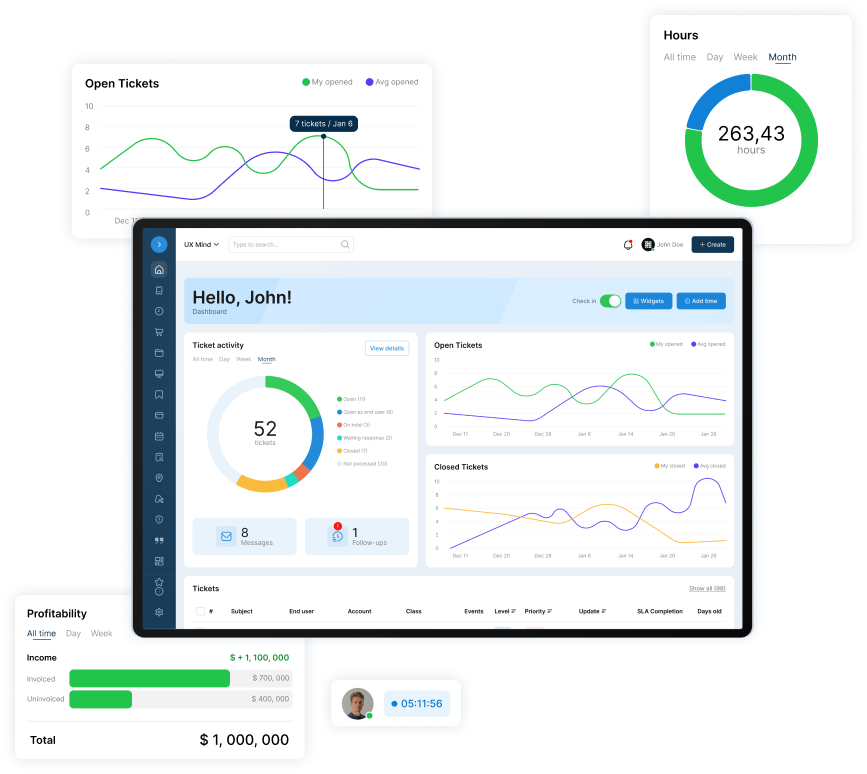
A helpdesk and PSA a small IT team can run alone. No contract. No implementation project. No dedicated admin.
Base Camp is $45 per agent per month ($40 billed annually). The first agent is free, forever, so three regular MSP agents pay $90 a month ($80 billed annually), before any Contractor licenses. The trial is 14 days free with no card.
Who this isn't for
Clients with no internal IT that need fully managed services. Without an in-house team there's nobody to share the matrix with, so sell them full managed service instead of co-managed IT services.
Frequently Asked Questions
What is the difference between co-managed and fully managed IT?
In fully managed IT, the MSP owns the whole service, from user tickets to servers. In co-managed IT, the client's own IT staff keep some areas and the MSP owns the rest, as a written matrix sets out.
Should the client's IT team work in my PSA?
Often, yes, with access you scope. A shared co-managed IT queue turns escalation into a reassignment instead of an email. Give each internal technician a named account with two-step verification, and decide which tickets they see: only those assigned to them, or all of their company's. Keep your other clients' tickets out of view.
How much do co-managed IT services cost?
There's no standard price for co-managed IT services. Choose one of the four models in the pricing section, alone or combined, and price it from the duties you're assigned and the escalations you actually work. Size an escalation block from hours you logged on the client's escalations, times your hourly rate, and review it each quarter.
Who owns the RMM and other tools when the contract ends?
Whoever the contract says. The NCSC tells buyers to agree what happens when they end or change the contract, including terminations. Name in the exit clause who holds each license, how the client gets its data and documentation, and when your access is removed.
Is co-managed IT the same as staff augmentation?
No. In staff augmentation, you supply a technician and the client manages the work: what they do each day and how. In co-managed IT, you own an agreed service, the rows in the matrix, and you answer for delivering it to the agreed service levels, whoever is on shift.
Do I need a RACI matrix or just a scope list?
A scope list works if every task has one owner and an escalation path. A RACI table adds who is consulted and informed, which helps when the client's owner signs budgets. The rule that matters in both, and in any co-managed IT contract, is one accountable owner per task.

Patrick co-founded SherpaDesk and has led it as CEO since 2013. He has worked with IT service providers since 1998, first on network projects for schools and government offices, then on the helpdesk software their technicians use every day.